Web to Print Portal Help Center

Registering a New Account
- 1 View
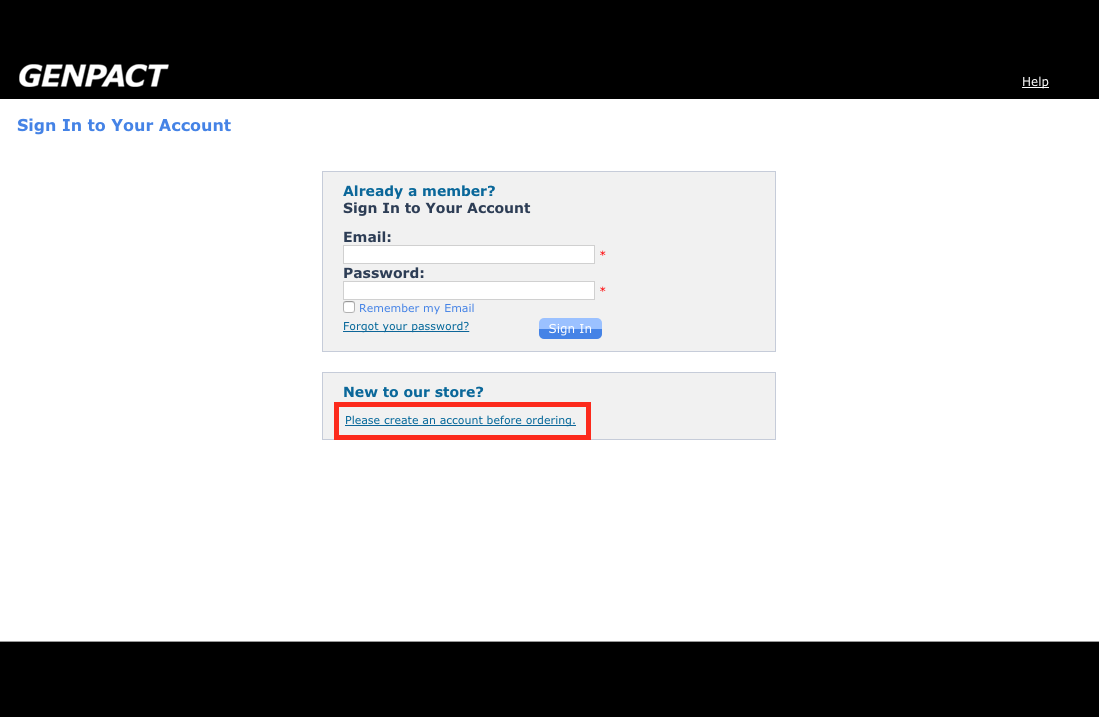
ScreenshotTo register a new account with the web-to-print portal, click on the Create an account link.
- 2 View
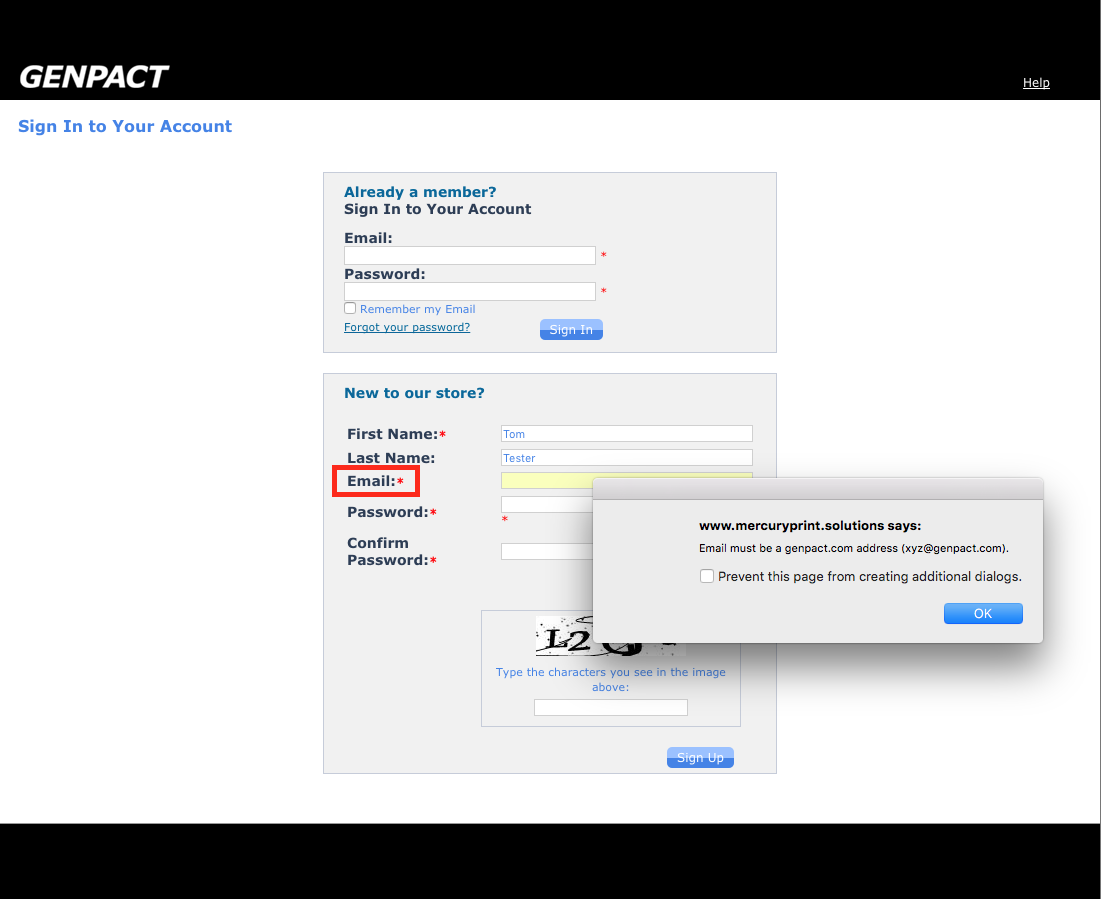
ScreenshotFill out all fields displayed and then enter the characters in the image, before clicking the Sign Up button.
Please note: Only email addresses with the @genpact.com domain will be accepted. - 3 View
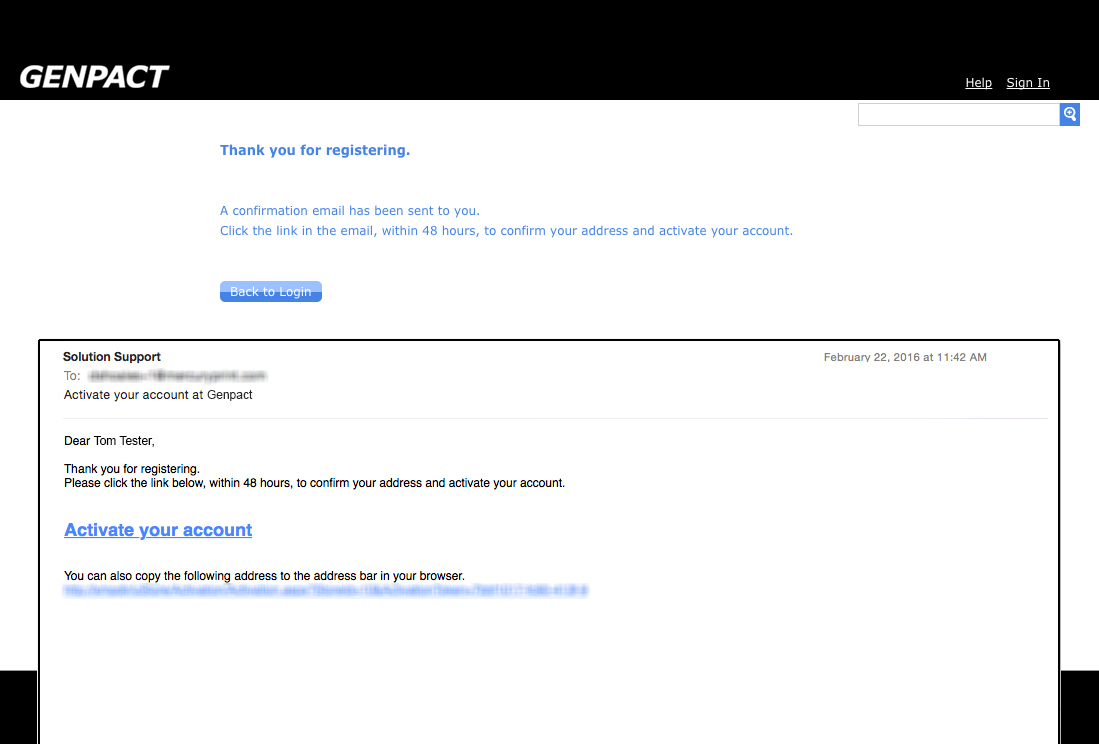
ScreenshotYou will receive an Activation Email to the email address you registered with. Please click on the confirmation link in the email, to activate your account with the print portal.
- 4 View
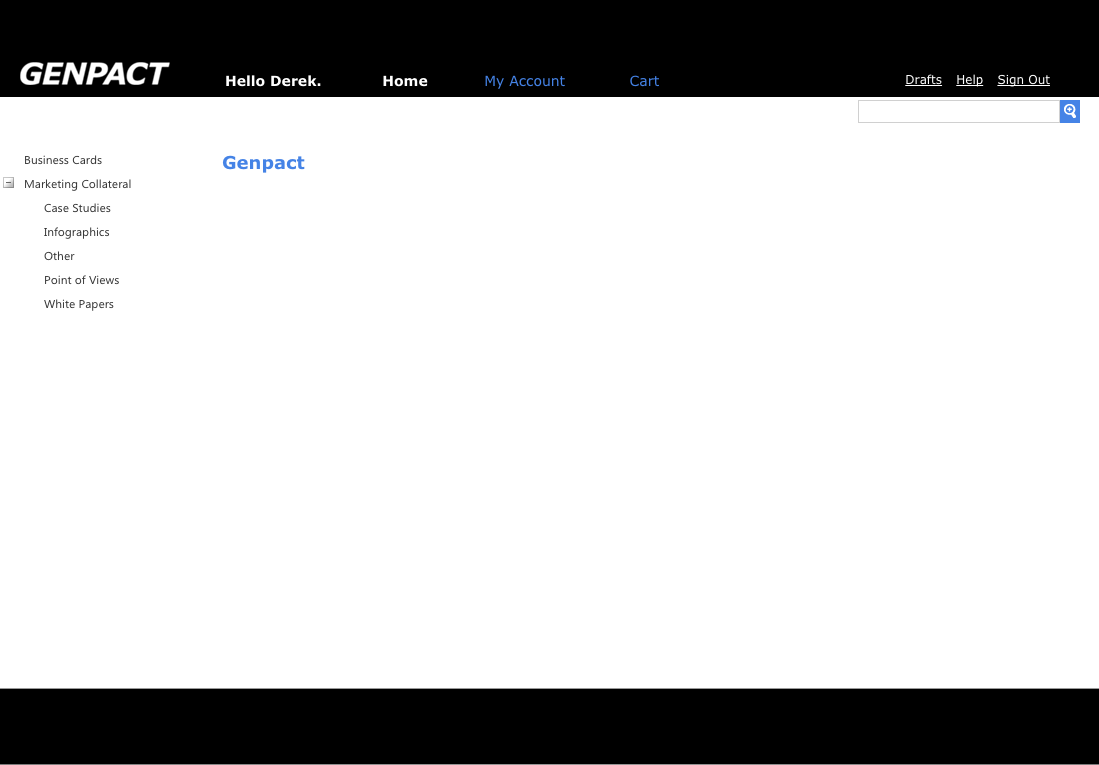
ScreenshotYou will now be able to begin placing orders.